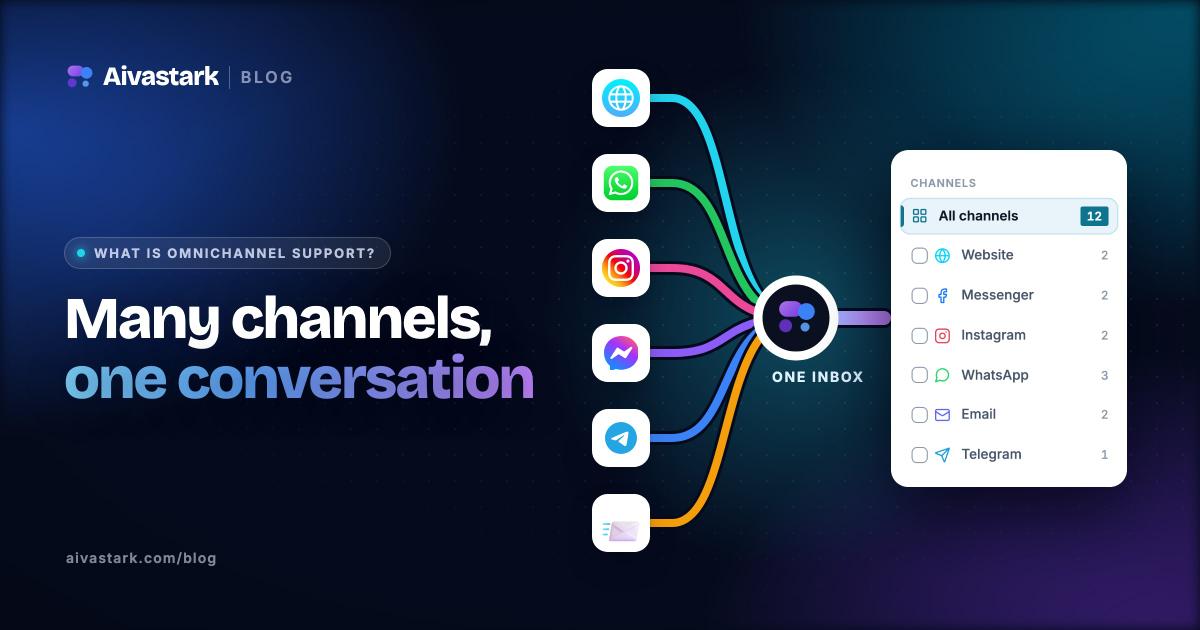
Omnichannel customer support is the practice of connecting every communication channel your customers use—chat, email, phone, SMS, and social media—into a single, unified experience where context follows the customer wherever they go.
Instead of forcing people to repeat themselves each time they switch from a website chatbot to email or from Instagram to a phone call, omnichannel support treats every interaction as part of one continuous conversation. The result is faster resolutions, less friction, and a support experience that feels coherent rather than fragmented.
Most guides on this topic stop at the definition. This one goes further: after defining omnichannel and separating it from multichannel, it covers what actually breaks when you wire channels together—the failure modes that turn a "unified" inbox back into a fragmented one, and what each of them costs you.
What Is Omnichannel Customer Support?
Omnichannel customer support is a strategy—and a supporting technology stack—that unifies all your customer-facing channels so they share data, context, and conversation history in real time. The defining characteristic is not the number of channels you offer, but how connected they are.
Consider a customer who starts a question in your live chat widget at 9 p.m., doesn't get a resolution before bed, and follows up via email the next morning. In a true omnichannel setup, the agent (or AI assistant) who picks up that email already sees the full chat transcript, the customer's account details, and any relevant order history. Nothing is lost. The customer never has to explain, "As I mentioned last night in your chat…"
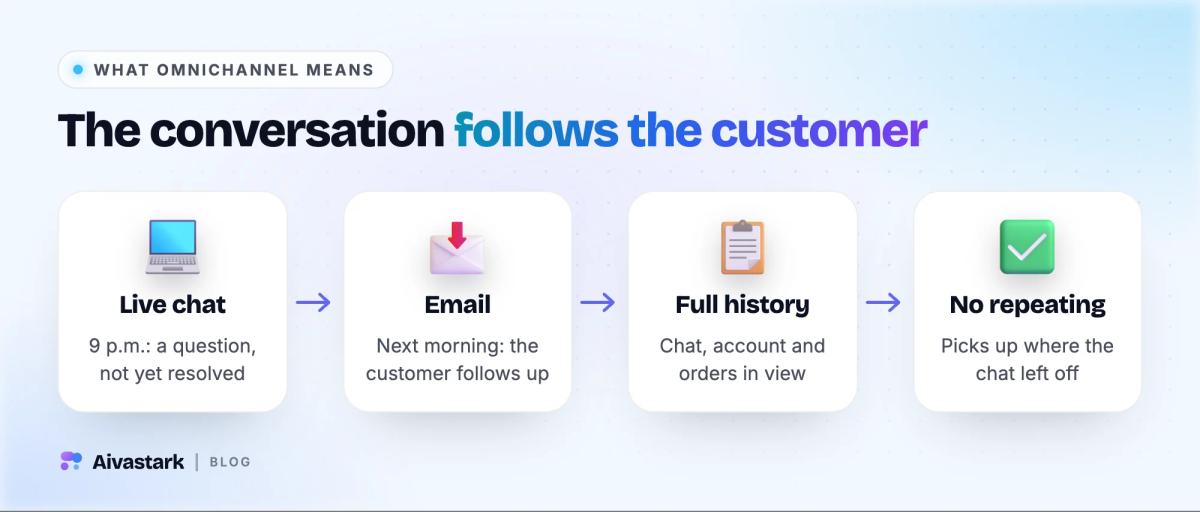
That continuity is what separates a seamless journey from a fragmented one. In siloed systems, each channel is its own island. The chat team can't see what the email team said, the phone agent has no idea a support ticket already exists, and the customer becomes the human glue holding the conversation together—copying reference numbers, re-describing problems, and repeating account details over and over.
Customer effort is one of the strongest predictors of loyalty. Every time you make someone repeat their story across a new channel, you're spending goodwill you didn't need to spend.
The goal of omnichannel support is to eliminate that effort. Context becomes the shared currency across every touchpoint, so the experience feels like talking to one organization rather than a dozen disconnected departments.
Omnichannel vs. Multichannel Support: Key Differences
The terms multichannel and omnichannel are often used interchangeably, but they describe fundamentally different operating models.
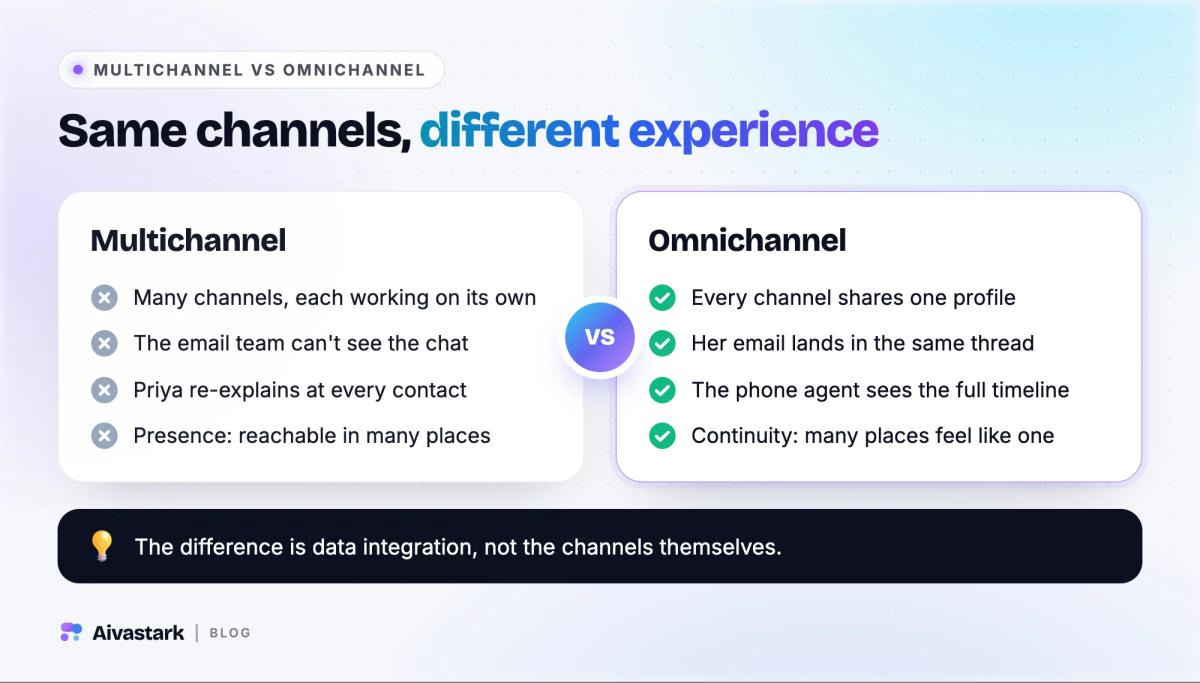
Multichannel means you have many channels—a phone line, an email address, a chat widget, a Facebook page—but each one operates independently. They don't share data, and a conversation on one channel is invisible to the others. Multichannel is about presence: being reachable in a lot of places.
Omnichannel means those channels are integrated. Conversations continue across channels without repetition, because a single system holds the customer's profile, history, and context. Omnichannel is about continuity: making all those places feel like one place.
A Side-by-Side Example
Imagine a customer named Priya troubleshooting a subscription problem.
Multichannel experience:
- Priya opens web chat, describes the issue, and gets partial help before she has to leave.
- Later she emails support. The email agent has no record of the chat, so Priya re-explains everything.
- She calls the next day; the phone agent asks for her account number again and knows nothing about the previous two contacts.
Three interactions, three fresh starts, mounting frustration.
Omnichannel experience:
- Priya opens web chat and describes the issue. The transcript and her account context are logged to a unified profile.
- Her follow-up email lands in the same thread. The responding agent sees the chat history instantly and picks up right where she left off.
- When she calls, the agent already has the full timeline on screen and resolves the issue in minutes.
Same three channels—completely different experience. The difference is data integration, not the channels themselves. If you're weighing where automated chat fits into this picture, our comparison of AI chatbot vs. live chat breaks down when each approach serves customers best.
Core Channels in an Omnichannel Support Strategy
An effective omnichannel strategy doesn't require every channel that exists—it requires the channels your customers actually use, all wired into one system.
- Live chat and website chatbots. Your website is usually the first place a customer looks for help. AI-powered website chatbots resolve common questions—order status, password resets, pricing, availability—without a queue, and cover the hours your team doesn't.
- Email, phone, and SMS. Email remains the backbone of asynchronous support: detailed troubleshooting, attachments, issues that don't need an instant reply. Phone stays essential for high-touch or emotionally charged situations. SMS bridges the gap for reminders, delivery updates, and short exchanges.
- Social media and messaging apps. WhatsApp, Facebook Messenger, and Instagram DMs have become primary support channels, especially for mobile-first audiences. Our guide to AI-powered social media responses covers managing this at scale.
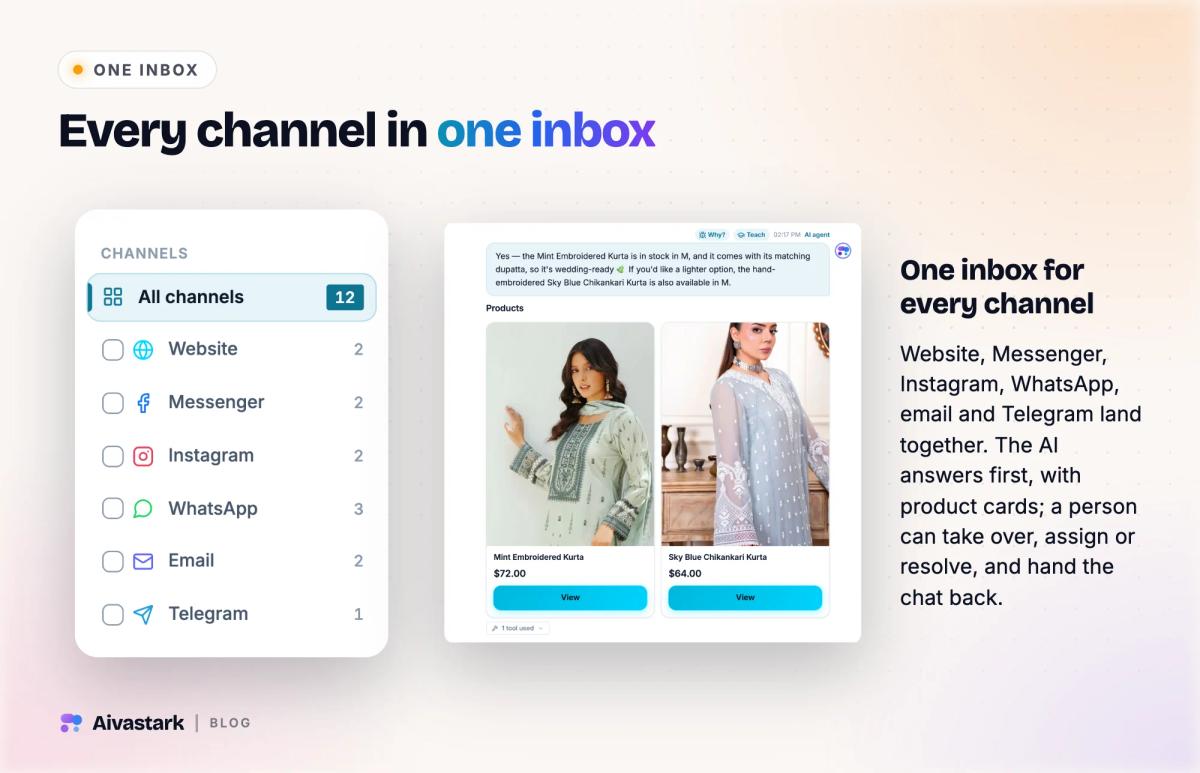
- A shared inbox or unified agent workspace. This is the piece that turns "multichannel" into "omnichannel": every channel on one screen, tied to a single customer profile.
What Actually Breaks When You Connect Channels
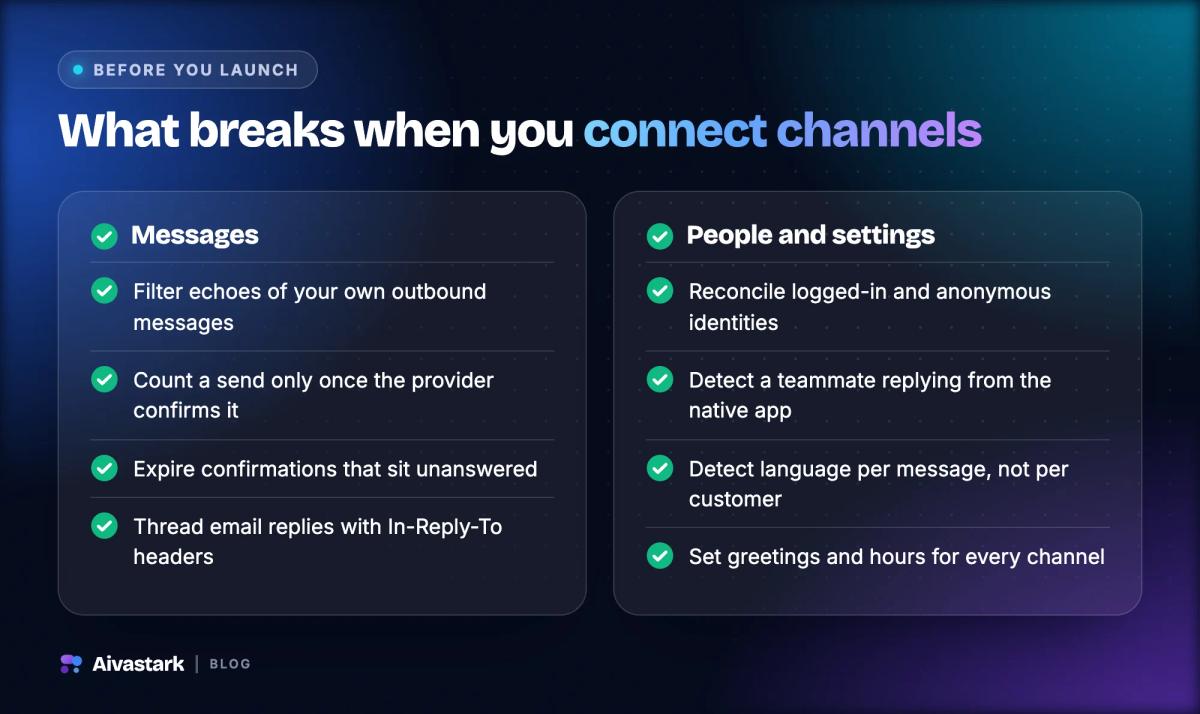
Here is the part most guides skip. Wiring channels into one inbox is not an integration project that either succeeds or fails—it is a set of specific, recurring problems, and every team that builds omnichannel support meets the same ones. Knowing them in advance is the difference between a three-week rollout and a three-month one.
Your own outbound messages come back as inbound
Several messaging platforms deliver a copy of the messages you send back to your own webhook. Meta's Messenger platform documents these as message echoes, and they exist for a good reason: if a human replies from the native app, your system needs to know.
The failure mode is that an echo looks almost exactly like a customer message. If you don't filter them out, your assistant answers itself, your reply counts double, and your response-time metrics quietly become fiction. Some platforms tag echoes with the sending app's identifier so you can ignore your own; some don't, and you are left matching on message text and timestamp. Decide which case you're in before you launch a channel, not after.
Identity arrives through two different doors
A "unified customer profile" assumes you can tell that the person in web chat and the person on WhatsApp are the same human. In practice, identity reaches you by two unrelated routes: an authenticated session (the customer is logged in, and you have a real account id) and an anonymous device signal (a cookie or tracking beacon, with no account attached).
These two rarely meet on their own. The visible symptom is an inbox that lists a paying, logged-in customer as "Visitor", next to a session that plainly belongs to them. Reconciling the two—deciding which identifier wins, and what happens retroactively to the conversations logged under the anonymous one—is a design decision. If you don't make it deliberately, the platform makes it for you, badly.
A human taking over is something you detect, not something you're told
On channels the customer already owns—WhatsApp especially—your team can reply from the native app on their own phone. The platform does not notify your support system that a human has stepped in. It simply emits an outbound message you didn't send.
You need a rule for what happens next. If the assistant keeps replying, the customer gets two voices at once. If it goes silent, it has to know when to come back, or the conversation dies the moment your colleague puts their phone down. The most common production bug in omnichannel support is not a bot that answers wrongly—it is a bot that went quiet three days ago and nobody noticed.
"Sent" is not a state you can assert
Handing a message to a provider's API is not the same as the message arriving. Every serious messaging platform returns a provider-side message id and then reports progress asynchronously: Meta documents this in the WhatsApp Cloud API webhook components, and Twilio exposes the same idea through outbound message status callbacks.
If you ignore those callbacks, a message that was rejected downstream is indistinguishable in your database from one the customer read and chose not to answer. Store the provider's id, consume the status events, and treat anything without a confirmed id as unsent. Otherwise your first sign of an outage is a customer complaining on a different channel.
Confirmation flows need an expiry
"Just to confirm—shall I cancel order 4471?" is a safe question in a live chat window, where the answer arrives in seconds. On an asynchronous channel it can sit unanswered for two days, and the reply "yes" may arrive long after the context that made it meaningful has gone.
Any action that needs confirmation has to keep its state on the server, tied to a specific pending operation, with an explicit expiry and a clear message when it lapses. A "yes" with no live context attached should do nothing at all.
Language is a property of the message, not the customer
Multilingual support is usually modelled as a per-customer setting. Real conversations do not cooperate. The same person may send a voice note in one language, type in a second, and use a romanized spelling of a third—sometimes within one thread.
Detect per turn and answer in the language of that turn. Deciding once, at profile level, produces the specific embarrassment of replying to a customer in a language adjacent to but not actually theirs. Our guide to multi-language AI support goes deeper on this.
Email threading is a protocol, not a convention
Email continuity is not a nice-to-have you implement with subject-line matching. It is specified: RFC 5322 defines the Message-ID, In-Reply-To and References headers that mail clients use to build a thread.
If your integration fetches only headers, or writes replies without setting In-Reply-To, every response starts a new thread in the customer's mailbox. The customer experiences that exactly the way they experience a support agent who has not read the previous email—which is to say, as the thing omnichannel was supposed to fix.
A greeting configured on one channel is not a greeting everywhere
Welcome messages, business hours, escalation rules, and quick replies are usually built for the website widget first, because that is where the product started. Every one of them needs an explicit answer for each new channel. The default answer—silence—is rarely the one you want, and it is invisible until a customer messages your WhatsApp number at 2 a.m. and gets nothing back.
A unified inbox is not the goal. The goal is that a customer who switches channels does not notice they did. Those are different engineering problems, and only the second one is worth the money.
How to Build an Omnichannel Support System
Building omnichannel support is a sequence of deliberate steps, not a single purchase.
1. Map customer journeys and pick real channels
Start by mapping how your customers actually move through support. Don't add channels for coverage's sake—identify the two or three your audience genuinely prefers and integrate those deeply. A B2B SaaS company may lean on chat and email, while a dental practice might prioritize SMS reminders and phone. Every channel you add carries the whole list of problems above; add them one at a time.
2. Centralize identity before you centralize anything else
The technical heart of omnichannel is one customer profile that every channel reads from and writes to. Do this first, and do it explicitly: define which identifier is canonical, how an anonymous session gets promoted when someone signs in, and what happens to history logged before that moment. Teams that centralize messages first and identity later end up with one inbox containing several versions of the same person.
3. Deploy AI to handle routine questions—and design the escalation first
AI handles the high-volume, repetitive questions that consume agent time, around the clock. The requirement that matters for omnichannel is seamless escalation: when the assistant can't resolve something, it hands over with the full transcript and context intact, and it knows when to stand down and when to resume. If you're deciding whether to build this in-house or adopt a platform, our build vs. buy guide walks through the trade-offs.
4. Define routing, SLAs, and one knowledge base
Define how inquiries are routed (by topic, priority, or customer tier), set response-time targets per channel—they should differ, because customer expectations differ—and maintain a single authoritative knowledge base that both your AI and your human agents draw from. When every channel pulls from the same source of truth, answers stay consistent no matter where the customer asks.
The Role of AI Agents in Omnichannel Support
AI is what makes omnichannel affordable. Staffing five or six channels around the clock with humans alone is prohibitively expensive; automation holds the coverage while keeping headcount sane.
- 24/7 first-line coverage on every channel. A well-configured assistant answers instantly at any hour, on web chat, WhatsApp, Messenger, or SMS.
- Consistent answers from a shared knowledge base. Because the assistant draws from one source, it gives the same answer regardless of channel—which fixes the most common multichannel failure, two agents contradicting each other.
- Handoff with full context. The best implementations know their limits and transfer the entire history, so the human starts informed. For a deeper look at autonomous systems here, see agentic AI in customer support.
- White-label delivery. Agencies serving multiple clients across industries—from ecommerce to legal firms—can deploy branded support per client with white-label AI chatbot platforms.
Bringing It All Together
Omnichannel customer support is ultimately about respect for the customer's time. Unify your channels around a single source of context, use AI to hold the first line, and the fragmented, repetitive experience turns into a continuous one.
But the definition is the easy part. What determines whether a rollout works is the unglamorous list in the middle of this article: filtering your own echoes, reconciling identity, detecting human takeover, trusting only confirmed sends, expiring stale confirmations, detecting language per message, threading email properly, and configuring every channel explicitly rather than by default.
Get those right and "omnichannel" stops being a word in a sales deck and becomes something a customer can feel. If you want to see how a unified, AI-powered approach fits your business, explore Aivastark's features or compare pricing options.
Steps at a glance
Map Customer Journeys and Identify Real Channels
Map how customers actually move through support—where they first reach out and where they escalate. Identify the two or three channels your audience genuinely prefers and prioritize integrating those deeply rather than adding channels for coverage.
Centralize Data with a Unified Platform or CRM
Ensure every channel reads from and writes to one customer profile through a dedicated support platform or CRM integration. This centralized data is what lets agents see cross-channel history and deliver continuity.
Deploy AI Chatbots to Handle Routine Questions and Escalate Seamlessly
Use AI chatbots to handle high-volume, repetitive questions 24/7. Ensure seamless escalation so that when a bot can't resolve something, it hands the conversation to a human with the full transcript and context intact.
Define Routing Rules, SLAs, and Knowledge Bases
Define how inquiries are routed by topic, priority, or customer tier, set service-level agreements for response times on each channel, and maintain a single authoritative knowledge base that both AI and human agents draw from.
More questions
What is the difference between omnichannel and multichannel support?
Multichannel means you have many channels that operate independently and don't share data, so a conversation on one is invisible to the others—it's about presence. Omnichannel means those channels are integrated so conversations continue across them without repetition, sharing a single customer profile—it's about continuity.
What channels are part of an omnichannel support strategy?
The core channels include live chat and website chatbots, email, phone, SMS, social media and messaging apps like WhatsApp, Facebook Messenger, and Instagram DMs, plus a shared inbox or unified agent workspace that pulls every channel into one screen tied to a single customer profile.
What usually goes wrong when you connect support channels?
The recurring problems are structural, not one-off bugs: some platforms echo your own outbound messages back as inbound events, so an unfiltered integration answers itself; identity arrives both from authenticated sessions and anonymous device signals and has to be reconciled; a human replying from a native app is something you must detect rather than be told; a message is only sent once the provider confirms an id and its status webhook agrees; and confirmation prompts need an expiry, because an asynchronous “yes” can arrive two days late.
What are the benefits of omnichannel customer support?
Omnichannel support delivers faster resolution and reduced customer effort, higher CSAT scores, stronger retention and lifetime value, better agent efficiency, lower cost per resolution, and actionable data across channels for smarter staffing and product decisions.
How do AI chatbots support omnichannel customer service?
AI chatbots make omnichannel scalable and affordable by providing 24/7 first-line support across every channel, delivering consistent brand-aligned answers from a shared knowledge base, and handing off complex conversations to human agents with the full history and context intact—including knowing when to stand down if a human takes over and when to resume.
How do you build an omnichannel support system?
Build it in order: map customer journeys and pick only the channels your audience actually uses, centralize identity before you centralize messages so every channel resolves to one profile, deploy AI for routine questions with the escalation path designed first, then define routing rules, per-channel response targets, and a single authoritative knowledge base.
Sources
- Meta for Developers — Messenger Platform: message echoes webhook event
- Meta for Developers — WhatsApp Cloud API: webhook components and message statuses
- Twilio Docs — Track outbound message status
- RFC 5322 — Internet Message Format (Message-ID, In-Reply-To, References)
- Meta for Developers — Instagram messaging on the Messenger Platform
- Meta for Developers — WhatsApp Cloud API webhooks overview